Booking that understands
capacity
Take bookings for anything with a start time and a limited number of places. Customers pay through the Shopify checkout you already run.
Free plan, no time limit · Billing through Shopify · Live at Copenhagen Cable Park
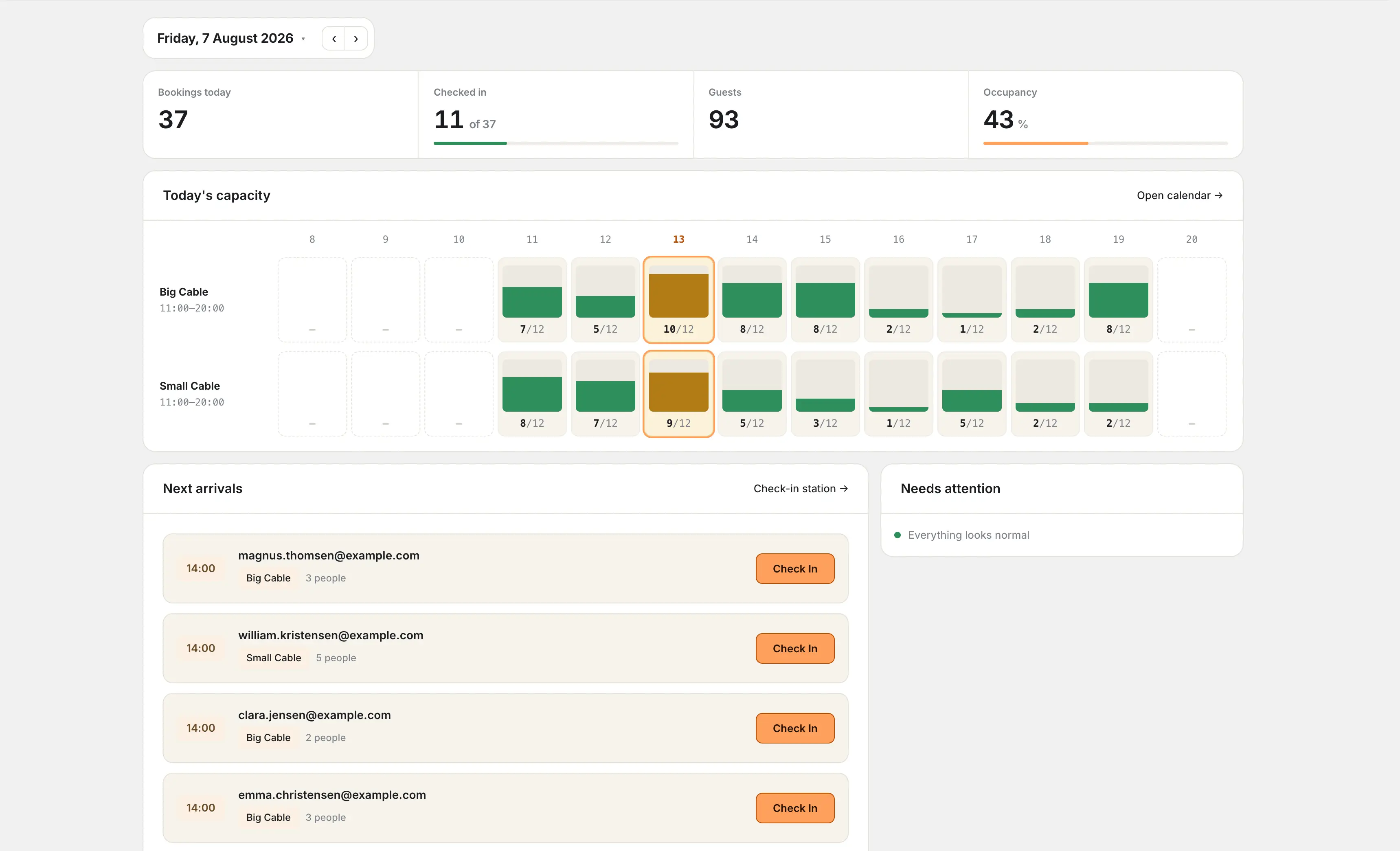
Copenhagen Cable Park runs its full season on CapFlow Booking.Read the case study →
Everything you need to
manage bookings
From scheduling to check-in, CapFlow Booking handles the full lifecycle of capacity-based reservations.
Automatic Scheduling
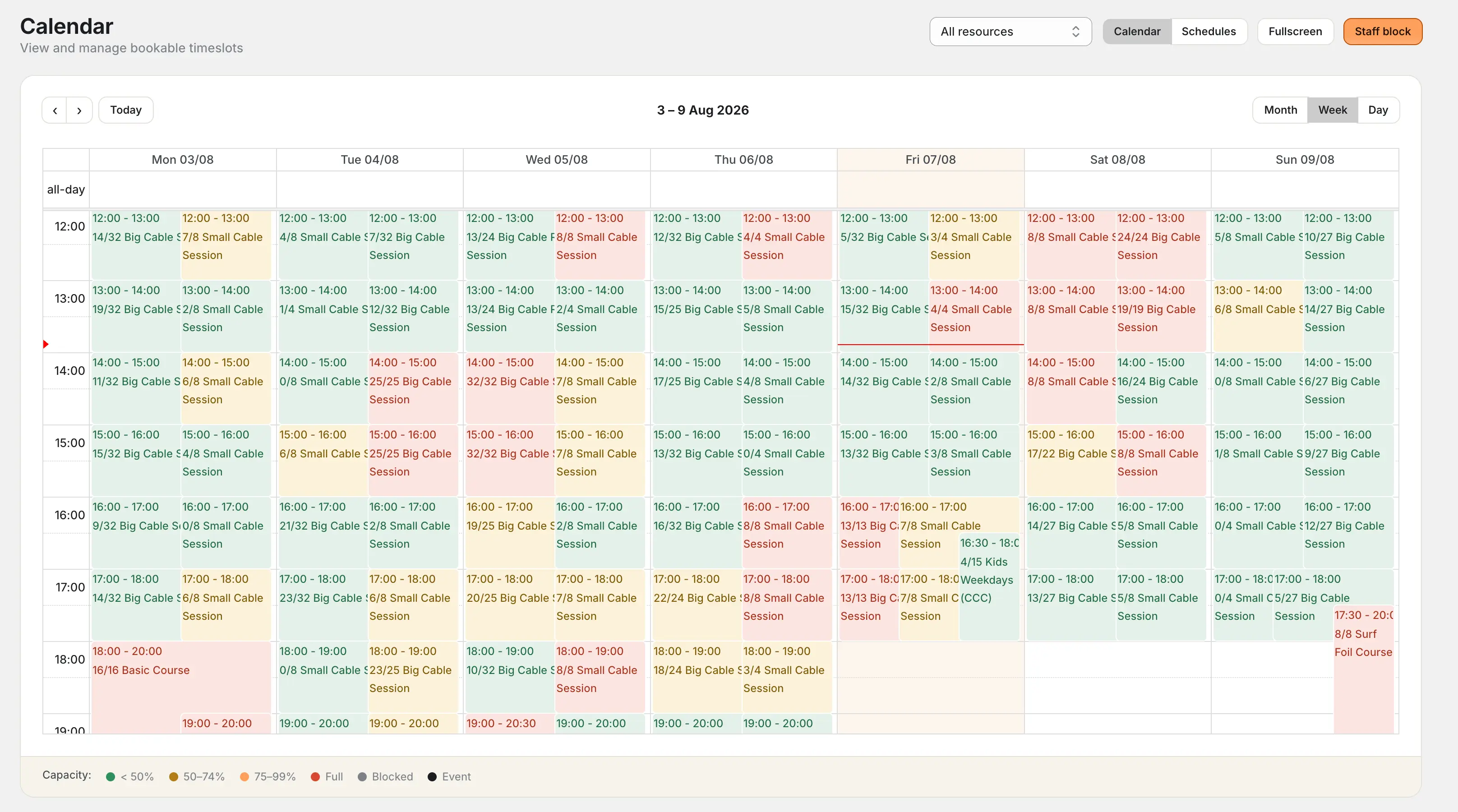
Define weekly schedule rules and let CapFlow Booking generate all your timeslots. Review changes before applying them. Booked times and occupied capacity are protected.
Capacity Pools
Split capacity between members and public. Unused member slots auto-release to public customers as the session approaches.
Real-Time Holds
10-minute atomic holds prevent double-booking while customers complete checkout. Capacity is locked, then confirmed or released.
Shopify Checkout
Bookings go straight into the Shopify cart with the right product variants. Customers pay through your existing checkout.
Multi-Session Bookings
Customers book consecutive hours in one go. The server validates that the sessions really are back-to-back and prices them per person.
Events
Run competitions, clinics and member-only sessions alongside the regular schedule, each with their own capacity, pricing and access rules.
Check-in System
Today's arrivals dashboard, no-show tracking, and short booking codes like gold-rose-0427 that a customer can read out loud.
Email Notifications
Confirmations, cancellations and reminders sent automatically, from your own sender address, with your arrival instructions included.
Analytics
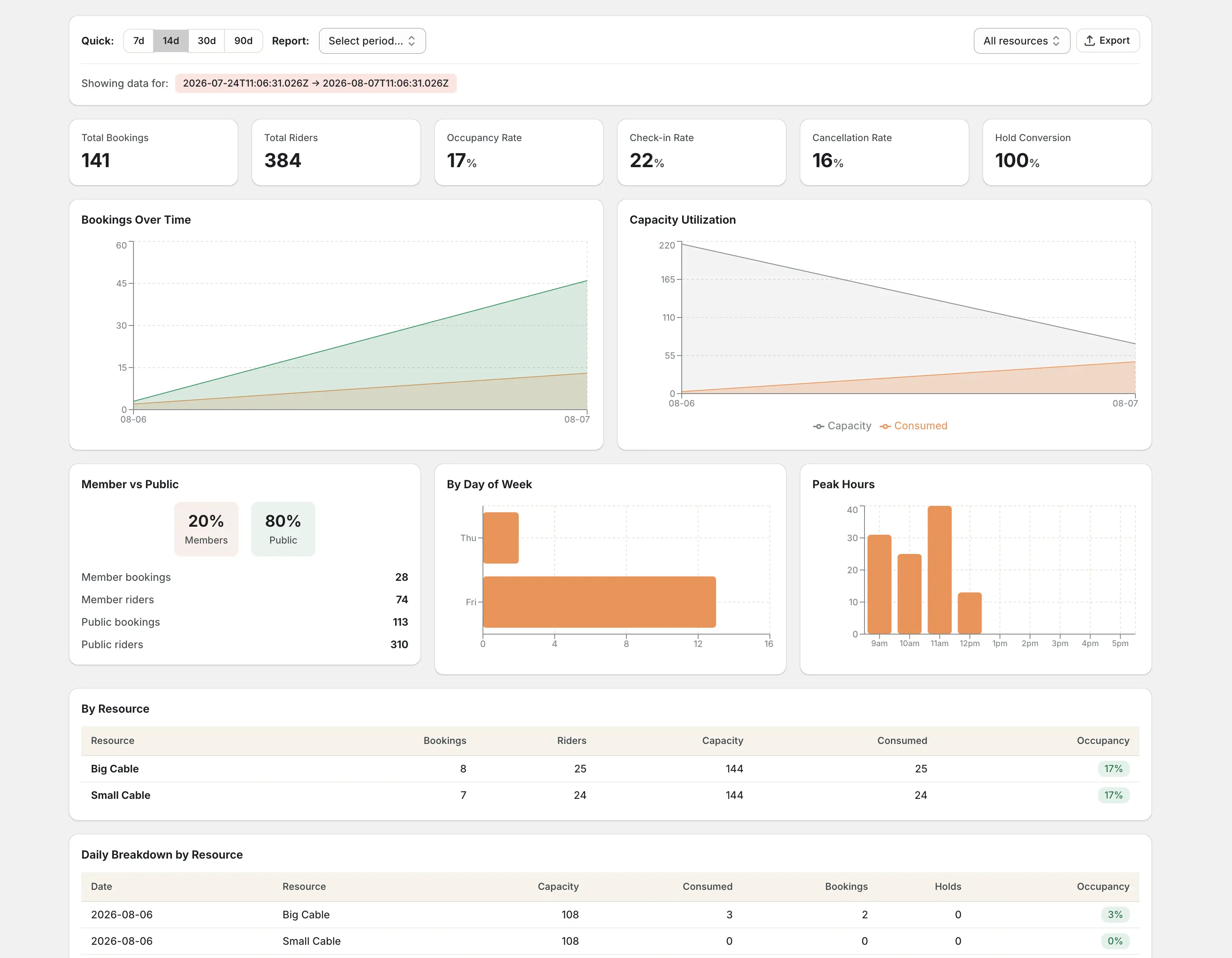
Occupancy rates, check-in tracking, member vs. public splits, peak hours, and CSV exports. Know your venue inside out.
Waitlists for full sessions
Keep interested customers in the queue. When their whole group fits, send a timed reservation offer. Included from Growth; enable it per shop.
How waitlists work →Ask service questions when customers claim an offer. Set up booking questions →
“We have both member access, clip cards and hourly users, and we can use them all in the same app. That’s something we hadn’t come across before this app.”
Five steps from offer to booking
Most venues are taking bookings within an hour of installing.
Choose an offer
Start with an existing Shopify product or create a new bookable offer.
Connect capacity
Choose the room or equipment behind it and reuse shared availability where appropriate.
Set the times
Reuse matching sessions or create a schedule with weekly rules and a date range.
Confirm pricing
Connect the right Shopify variants, including prices for longer durations.
Check and publish
Review availability, add the theme block and test the complete customer booking flow.
Memberships, built in
Annual passes, monthly passes, and clip cards, all detected automatically through Shopify customer tags. Members get priority booking from reserved capacity pools, and unused slots release to the public when the session approaches.
Know your numbers
Occupancy, member versus public, peak hours and no-shows, all in one place and exportable as CSV.
Simple, transparent pricing
Start free, then scale as your booking operations grow. Billed through Shopify, on your normal invoice.
Free
No time limit
Get started with basic booking
- 1 resource
- 1 service
- 10 bookings/month
- Confirmation emails
- CapFlow branding on widget
Growth
or $150/year, save 17%
Scale your booking operations
- Unlimited resources
- Unlimited services
- 500 bookings/month
- Waitlists for full sessions
- Analytics dashboard
- Check-in system
- Remove CapFlow branding
Pro
or $350/year, save 17%
Everything most venues need
- Everything in Growth
- 5,000 bookings/month
- Membership system
- Capacity pools
- Events
Scale
or $750/year, save 17%
For high-volume booking operations
- Everything in Pro
- Unlimited bookings
- Onboarding support
- Priority support
Questions, answered
The things venue owners ask before they install.
Will it work with my Shopify theme?
Yes. The booking widget is a theme app extension, so you add it as a block on any product page from the theme customiser. No code, no theme edits, and it stays in place when you update your theme.
How do customers pay?
Through your existing Shopify checkout. Bookings go into the native cart with the right product variants, so your payment providers, receipts, discounts and refunds all work exactly as they do today.
What stops two people booking the last spot at the same time?
CapFlow Booking checks and reserves capacity during the booking flow. Temporary holds and pending-payment bookings keep those places occupied while the customer completes the purchase. Unfinished paid bookings release capacity according to the configured expiry.
Can I reserve capacity for members?
Yes. Every timeslot can be split into a member pool and a public pool. Annual passes, monthly passes and clip cards are recognised automatically, and unused member capacity releases to the public a set number of hours before the session starts.
Can customers cancel their own booking?
Yes. Every confirmation email includes a manage link where the customer can see, cancel, or move the same booking to another available time under the policies you set. Staff can also move a booking from the admin. The service, duration, party size, and resources stay the same; changing those still requires cancel and rebook.
Can I run more than one resource?
Yes. Define as many resources as you need, each with its own capacity, schedule and pricing. They share one calendar, so your staff see the whole venue in a single view. The free plan covers one resource; paid plans are unlimited.
Can I ask customers questions before they book?
Yes. Add up to 10 text, checkbox or dropdown questions per service, once per booking or for every participant. Required answers are collected before confirmation and shown in booking details and check-in. This covers regular services, including members and waitlist claims; Event signup forms and electronic signatures are outside this feature.
Can customers join a waitlist when a session is full?
Yes, on Growth, Pro and Scale. Enable Waitlist in the app. Customers request their chosen group and consecutive duration; when enough places open, CapFlow reserves them and sends a timed email offer. They still complete booking and any payment through Shopify. It covers regular services on one resource and starts off for each shop.
Where is my data stored?
Application hosting runs in Stockholm. Shopify privacy requests enter a tracked workflow: merchants deliver customer exports, and some erasure cases need review or provider cleanup. Uninstalling alone does not prove all copies are deleted. See the privacy policy for provider processing and retention.
Can I try it before paying?
Yes. The free plan is genuinely free and has no time limit. Paid plans come with a 14-day free trial, and billing runs through Shopify, so it appears on your normal Shopify invoice.
More detail in the help center, or emailhello@tinyagency.io and you will get a real answer from the person who built it.
Ready to take bookings?
Install CapFlow Booking and take your first one in under an hour. Free plan, no time limit.